Halden Industrial Group / Autonomous salvage terminal
You run the ship. The drone runs itself.
WARD/EN is a programming and salvage game. A drone enters a wreck
with no one at the controls, follows the directive you wrote, and
sends back only what its uplink can carry. You never steer it live.
You write a better plan, and later a crew of drones that talk to
each other.
Or skip the campaign and go straight to the Training Grounds: the
whole equipment catalogue, a budget, and a generated wreck you
choose by the kind of problem it poses.
Coming to Steam. While it is in early testing the terminal runs in
your browser: no account, no server, saves stay on your machine.
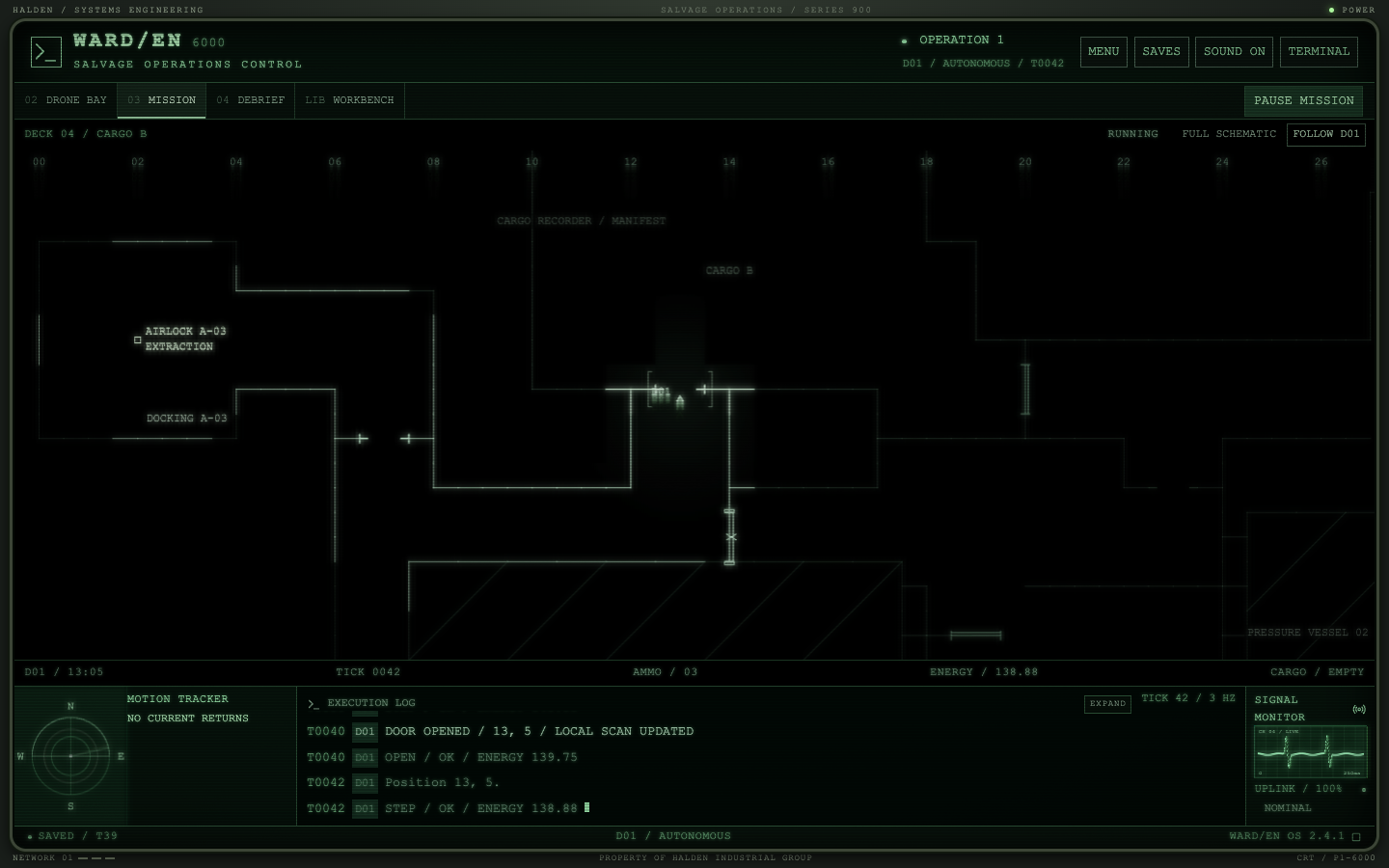
Mission / Training Grounds / INF/DDF756D01 / Autonomous / T0048
What you actually do
01 / Premise
Write
A directive
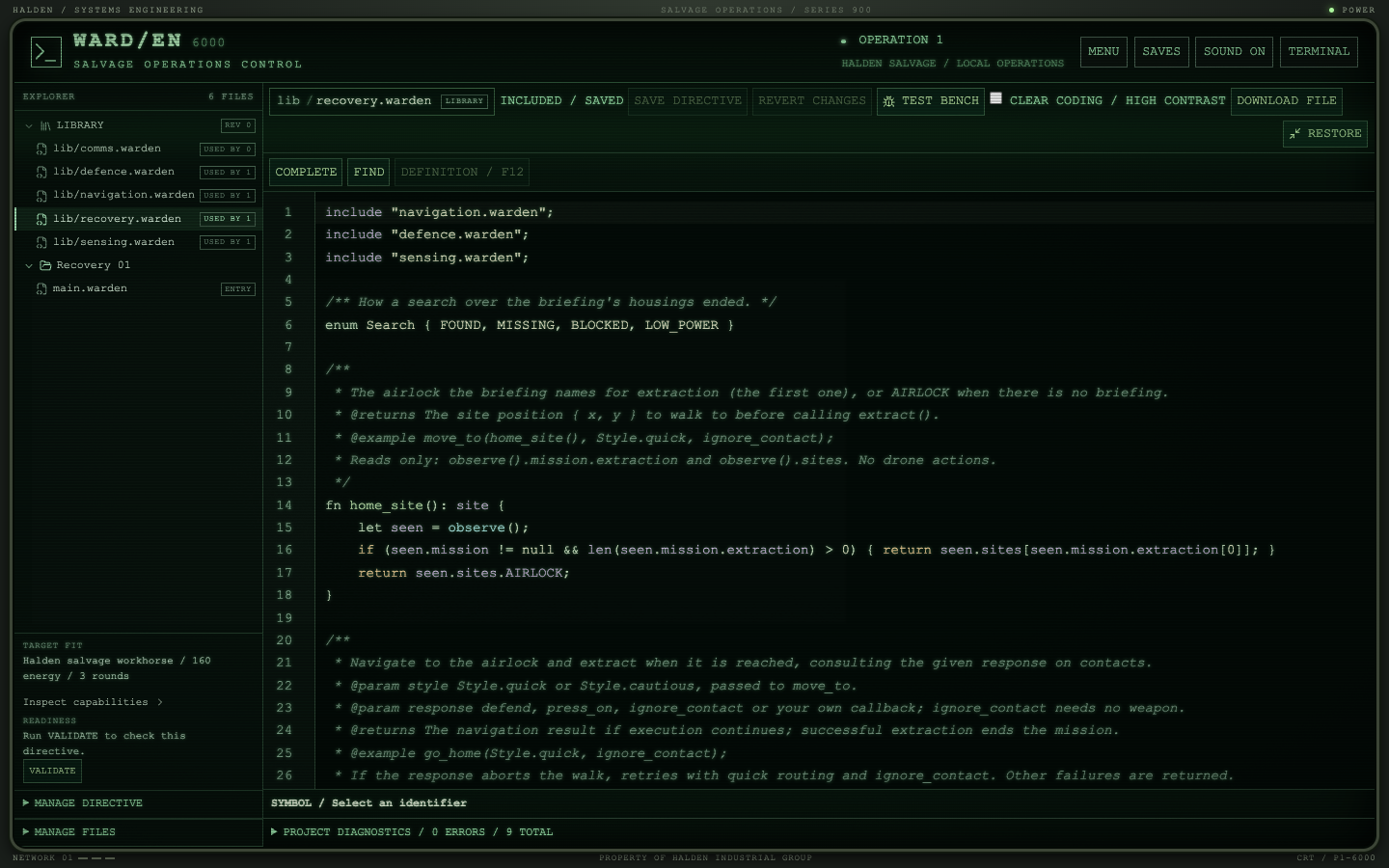
A directive is a small project of .warden files: a
plan in main.warden and the library modules it
includes. Route planning, contact response, sensing and the
recovery routine are all ordinary source, and every line is yours
to change.
Dispatch
No one at the controls
Dispatch freezes the directive. From that moment the drone acts on
its own inside a wreck you only know from a recovered schematic,
with a battery that is the clock and something patrolling the
corridors. A fleet is several drones acting on their own at once,
each on its directive, talking over a link the wreck can cut.
Read
What came back
Cargo in the hold, the report, and the map you now hold of that
wreck. A drone that ran dry stays inside. Improving the directive
is how you survive; the salvage operation determines what you can
risk next.
The WARD/EN language
02 / Directives are source
main.wardenlanguage 2;
include"lib/recovery.warden";
enumOrder { core_first, recorder_first }
fnrespond(seen: record, style: Style): Response {
for (contact in seen.contacts) {
let dx = seen.position.x - contact.position.x;
let dy = seen.position.y - contact.position.y;
if (dx * dx + dy * dy <= 9) { fire(contact); returnResponse.ACTED; }
}
returnResponse.CONTINUE;
}
fnsearch(target: site, item: string): boolean {
let result = move_to(target, Style.quick, respond);
if (result != MoveResult.ARRIVED) { return false; }
scan();
if (observed_item(item) == null) { return false; }
collect(item);
return true;
}
on start {
let seen = observe();
let sites = [seen.sites.POWER, seen.sites.COMMS];
for (site in sites) {
if (search(site, "NAV_CORE")) { break; }
// A core you cannot bring home is worth nothing.if (observe().energy < reserve_for_home() + 40) { break; }
}
log(observe().energy);
go_home(Style.quick, respond);
}
A small imperative language with the shape you expect and nothing
you have to guess at. The hardware is a handful of calls that each
cost a tick and report a Result; everything above
them, including move_to and its route planner, is
library code you can read, edit and replace.
The briefingobserve().mission is the contract the ship sends
with the drone: objectives, priorities and the housings that
may hold each item, when the client knows them. A plan that
reads it flies on any wreck the client can describe.
EvidenceSome clients cannot say where the item lies.
observe().records holds what the vessel's own
records say once the drone has scanned them, and an item's
marking reads only after a local scan. The plan
has to search, read and verify.
FunctionsParameters, return values and optional type annotations the
editor checks and shows on hover.
EnumsDeclare the values a function accepts. A wrong literal is
refused before dispatch; the editor offers the members.
CrewsFly wings beside the lead and let them talk:
send costs a tick per 32 bytes on a fitted
transceiver, receive reads the inbox, and the
ship holds a message for a drone out of range. A scout
reports; a hauler acts on it.
CallbacksPass a function to move_to and decide, step by
step, what a contact means: continue, act, or abort. The
library ships one response, ignore_contact, which
walks on regardless. What to do about a threat is yours to
write.
Textstr(value) writes anything as text, records as
{x: 3, y: 4}; log takes several
values at once. A runtime fault names the file and line it
came from, and the log opens the Workbench on it.
ModulesSplit a directive across files with include. The
modules are one library per operation: improve a routine once
and every directive that includes it has it.
Pure functionsPlanners are declared pure; the controller
refuses any hardware call inside them.
ReferenceEvery keyword, hardware call, the
observe() record, the shipped library and the
controller's limits on one page:
the language reference, also
as a PDF for printing.
ToolingCompletion, hover, go-to-definition, references, rename and
diagnostics against the drone's actual fit, in the game's
Workbench or in VS Code through the WARD/EN extension and
language server.
Debug it before you risk it
02b / The test bench
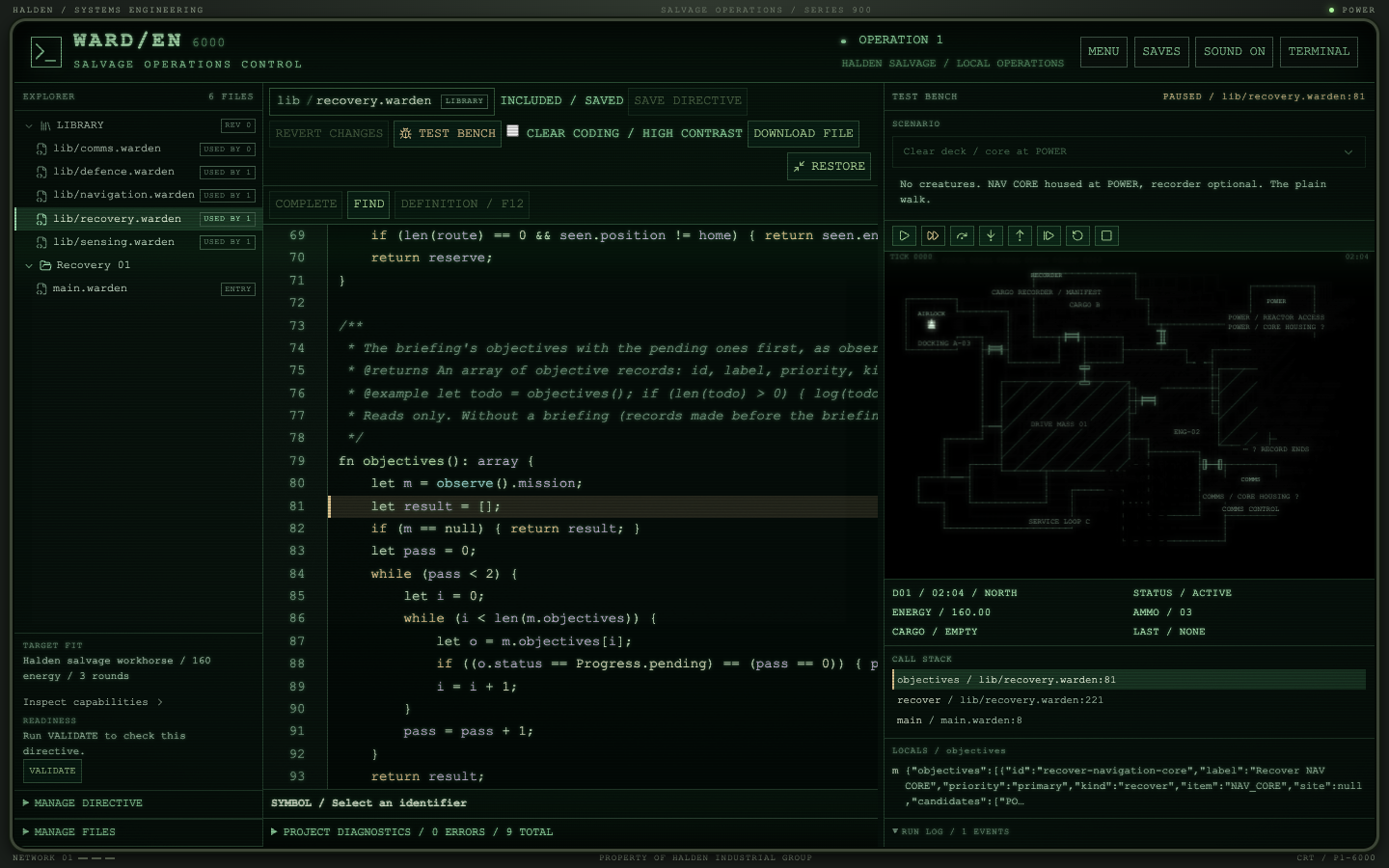
Workbench / Test bench / Clear deck, core at POWERPaused / lib/navigation.warden / move_to()
A directive used to be tested by flying it. The test bench flies
it for you, on a handful of prebuilt scenarios, inside the
Workbench: clear decks, a roamer on patrol, a survey through a
closed door, the training wreck as briefed. The scenarios are
pinned, so a plan that fails, fails for a reason you can name.
BreakpointsClick the gutter or press F9, in your plan or deep in a
library module. A breakpoint on a comment snaps to the next
statement.
SteppingThe toolbar every debugger shares: continue, step over, step
into, step out, restart, stop. Step into a library call and
the file opens at the stopped line.
StateThe call stack and each frame's locals as a tree, one line
a value, with INSPECT to open a big one in its own window;
the drone's position, energy, cargo and last hardware result
while it waits. Hover a name to see its value in the
frame.
TimeTick advances one tick of world time. Play runs at the
mission's own clock and stops at a breakpoint, so you can
watch the walk and the map fill in.
HonestA stopped flight, resumed, ends byte-identical to the same
dispatch run straight through. The bench never touches a
dispatched drone; while one is out, it is offline.
HistoryEvery finished run is kept with the library revision it flew
on, so a change to a shared routine can be judged against the
last flights of every plan that uses it.
Most contracts name a compartment. An investigation claim names
the object by the marking stamped on it and nothing else:
surviving records do not say where it lies, and more than one
unit of that type is aboard. A plan that walks the briefing's
housings has nowhere to go. One that reads the vessel's manifest,
visits what it lists and checks each marking comes home with the
right unit.
WithheldThe briefing lists no candidate housing, and the
compartments themselves are off the drone's site list until
it has sensed them or read of them. The ship's screens hold
them back too.
RecordsScan the compartment that keeps the manifest and its entries
arrive as typed records: which class of item, held where. They
never say which unit is the one the client wants.
MarkingsSeen from the doorway an object is only its type. Scan it and
its marking reads. The comparison with the briefing is yours
to write.
ConsequencesTwo recorders do not fit the standard tool together. Lift the
wrong one and the contract stays open, the debrief says why,
and the right one waits for a return expedition.
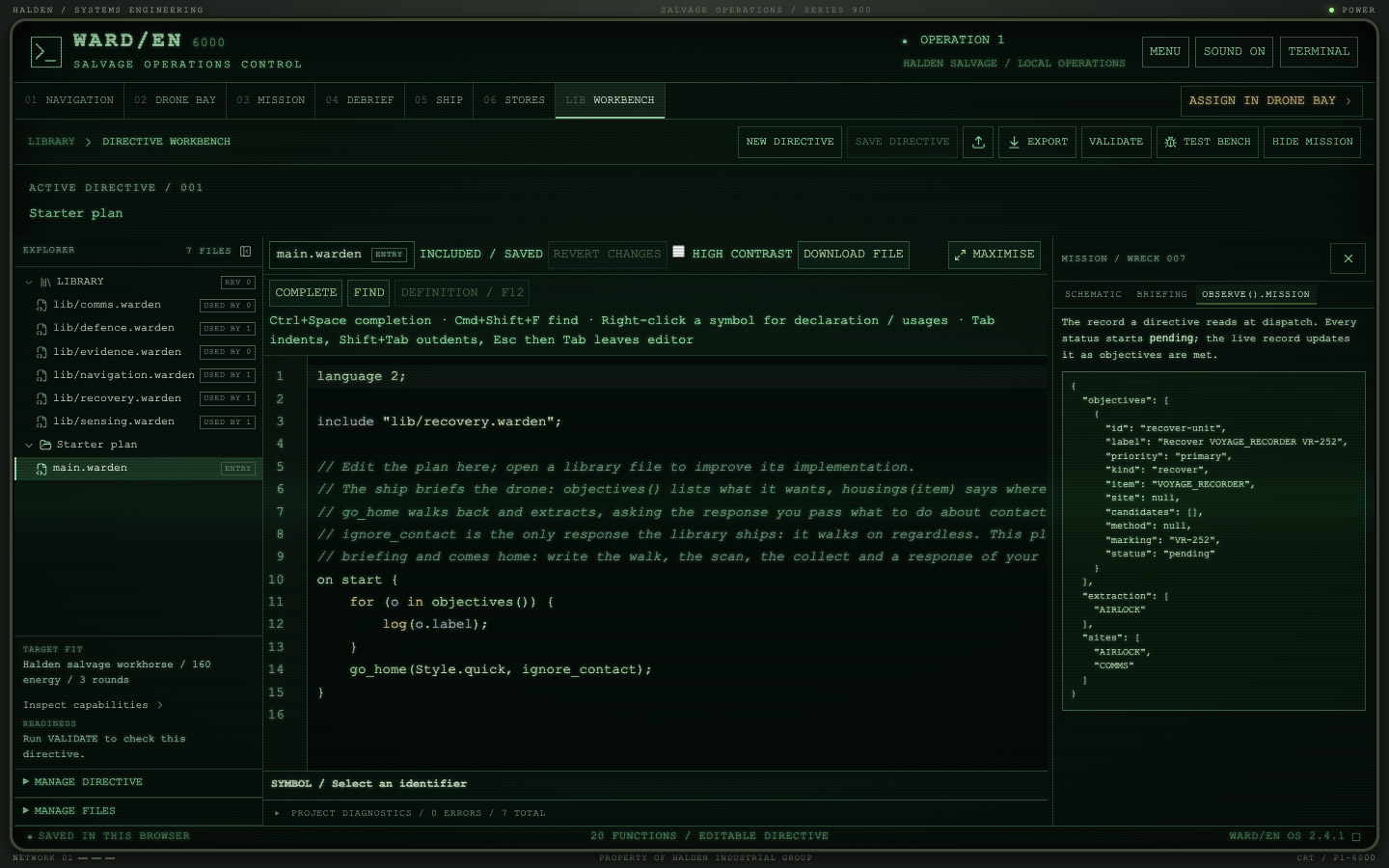
The mission panelSHOW MISSION opens the selected contact beside your source:
the schematic the ship holds, the client's briefing, and the
exact record your directive will read.
In the logEvidence enters the run log the moment it becomes legible and
never sooner, so a debrief shows what the drone knew when it
chose.
Every part. One budget. Your problem.
02d / Training Grounds
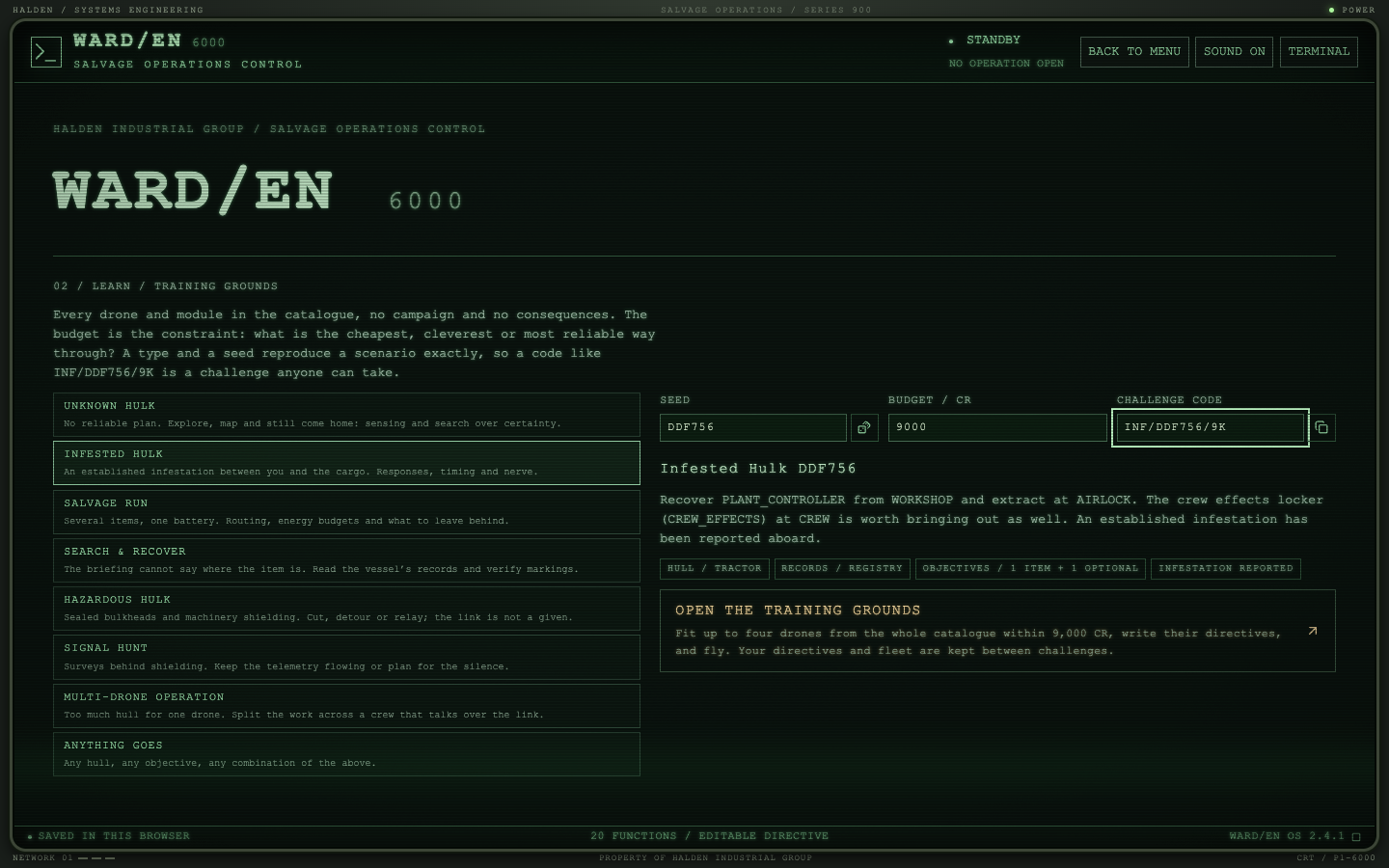
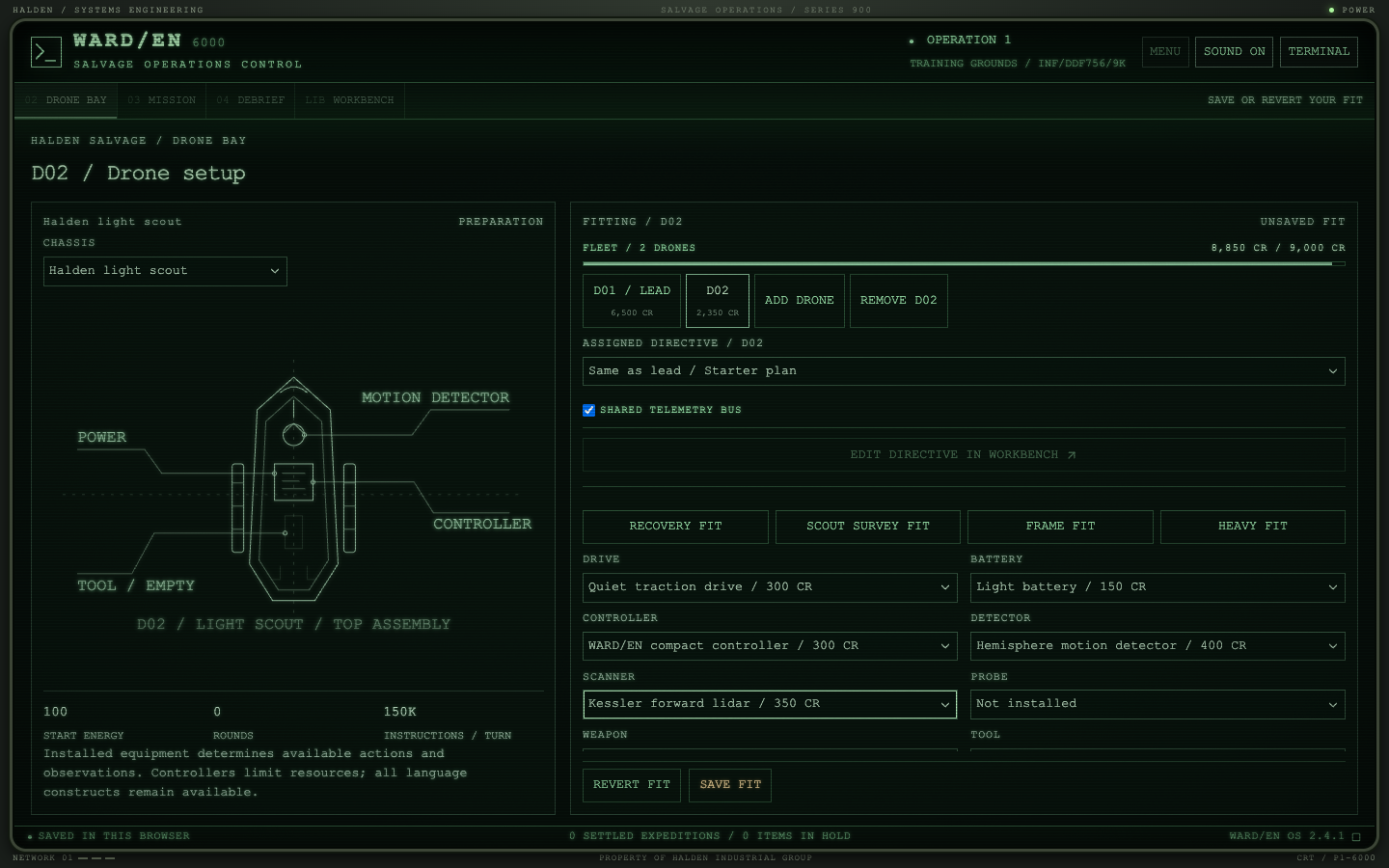
Front menu / 02 Learn / Training GroundsINF/DDF756/9K
No campaign, no unlocks, no consequences. The whole equipment
catalogue is open from the start; what limits you is the budget.
Choose the kind of problem you want and the generator builds a
wreck around it from the commercial hulls: their sections, seals,
shielding, infestations, registry gaps and objectives. The
question is never what you are allowed to fit. It is what is the
cheapest, cleverest or most reliable way through.
Eight problemsUnknown Hulk, Infested Hulk, Salvage Run, Search &
Recover, Hazardous Hulk, Signal Hunt, Multi-Drone Operation,
and Anything Goes. Each varies its conditions seed by seed
rather than replaying a template.
ShareableType and seed reproduce a scenario exactly, so a challenge
is a code: INF/DDF756/9K is that infested hulk
on a 9,000 CR budget, on anyone's machine. Paste one in and
fly it.
Always fairEvery objective is reachable and within some fit's battery,
or the seed is redrawn. Whether one drone can do it all is
another question.
CrewsUp to four drones, each on its own fit and its own
directive, priced together against the budget, with or
without a shared telemetry bus.
No single scoreA run reports spend, drones lost, time, salvage value and
instructions executed, each beside your best for that code.
Cheapest, fastest and safest are different solutions.
Yours to keepDirectives and the fleet carry from seed to seed, so a
library that cracks one infested hulk is ready for the
next.
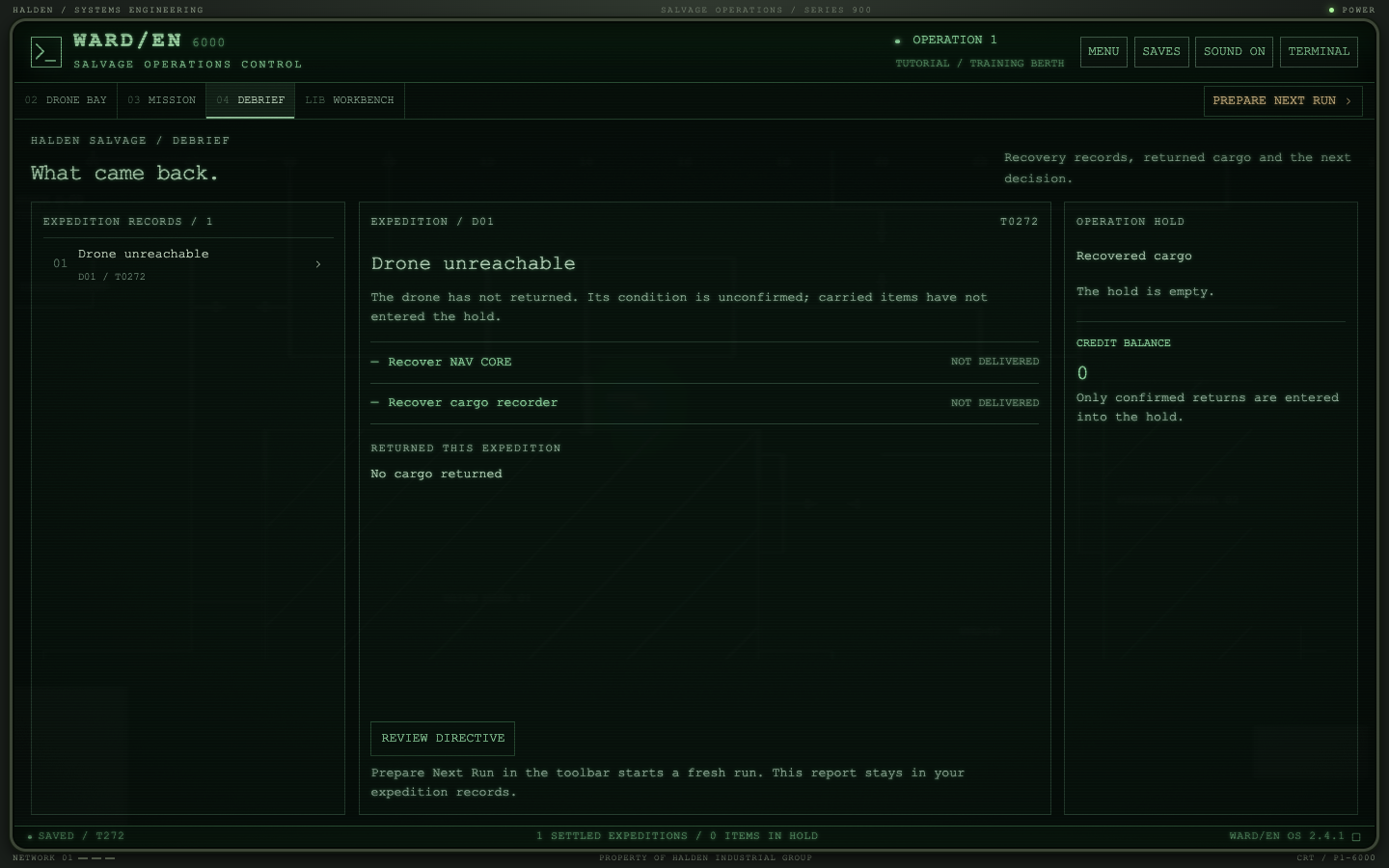
Drone Bay / Fleet / 8,850 of 9,000 CRD02 / Unsaved fitDebrief / INF/DDF756/9KComplete / T0176 / 6,500 CR
Sixty-eight parts, no right answer
02e / The catalogue
Eight hulls and thirteen sockets. Within each, a dearer part does
something a cheaper one cannot, and the game's tests refuse any part
another beats on every figure. Different wrecks make different parts
worth their price: cheap hardware is paid for in cleverer code, and
the reverse.
Sense
See it your way
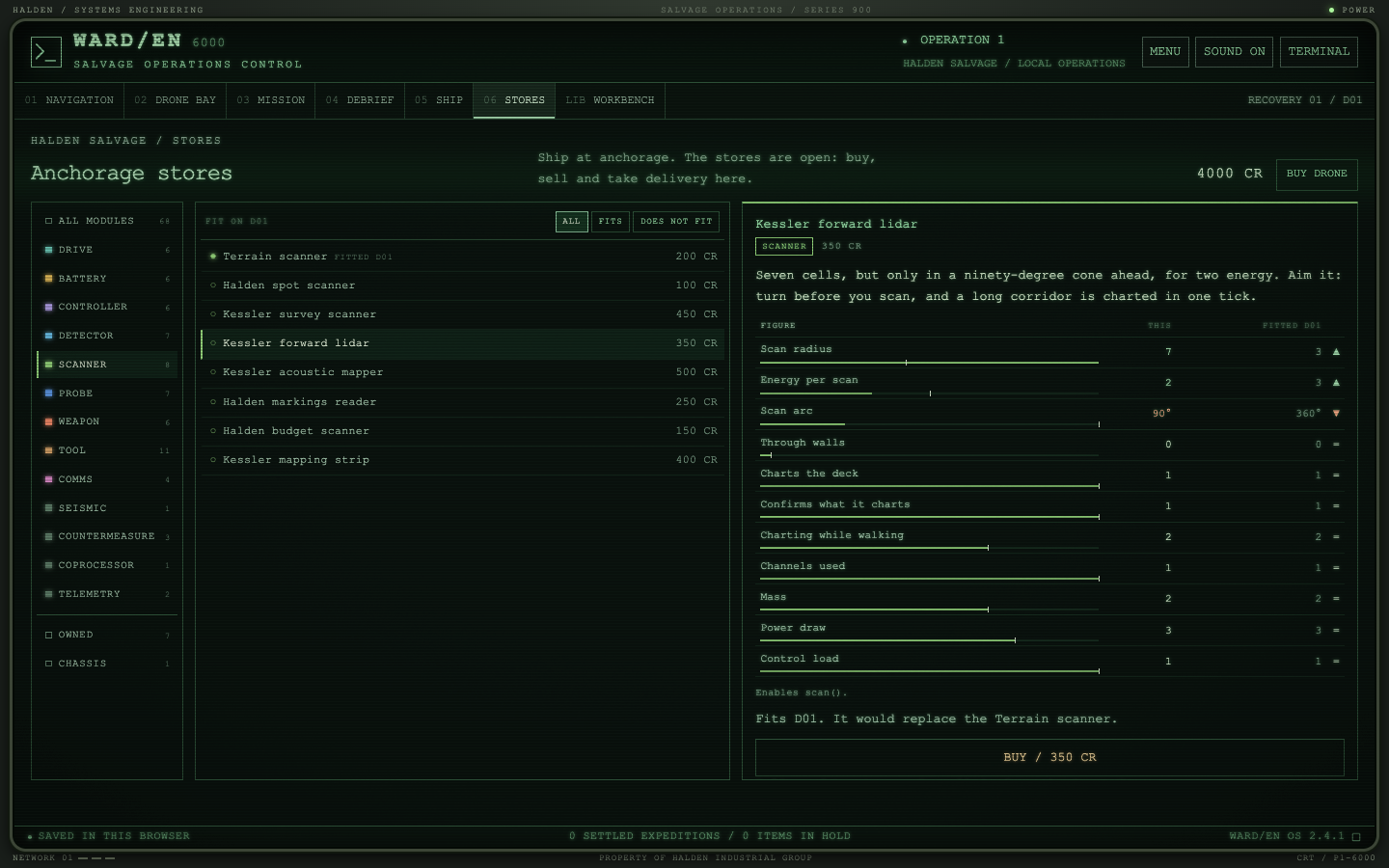
Eight scanners, from a one-energy spot scan to a forward lidar you
have to aim and an acoustic mapper that charts through walls and
is heard doing it. Detectors that watch behind, sweep a narrow
picket or stop at walls. A seismic sensor that feels the lurker
the detector cannot. Probes that map, that tell salvage from
bodies, or that let a round be put where they found something.
Act
Open the deck
Cutters, a breaching charge that opens a barrier in one loud
tick, and a bypass kit for the security doors no cutter can
touch. A grapple, a cargo rack, relays and a beacon. A
hardpoint hull carries two tools. A tracked drive crosses hazard
terrain that stops everything else; a glider cannot open a door.
Survive
Change what they sense
Decoys that sound where you throw them, smoke that hides the
drone, a jammer that holds a door shut against them, stunners
from a quiet single round to an area burst. An armoured hull
holds out a tick longer; a low-profile one is seen from nearer.
Think
Hardware or code
A navigation co-processor plans a route for a flat two thousand
instructions, or you write a better planner. An overclocked
controller thinks a million instructions a turn and pays for
them in battery; an archivist remembers everything and thinks
slowly.
Power
The battery is the clock
Light cells for frames, industrial cells for heavy fits, a
supercapacitor for a short violent job, a regenerative cell for
patient directives, and drives that trade speed, noise and
energy, including one that charges for every unit carried.
Link
What reaches the ship
Transceivers from a pager to a laser link, a telemetry buffer
that keeps the whole story through an outage, and an uplink
booster that reaches the ship from further out than the
airlock's ten cells.
Seven stations, one meaning each
03 / The loop
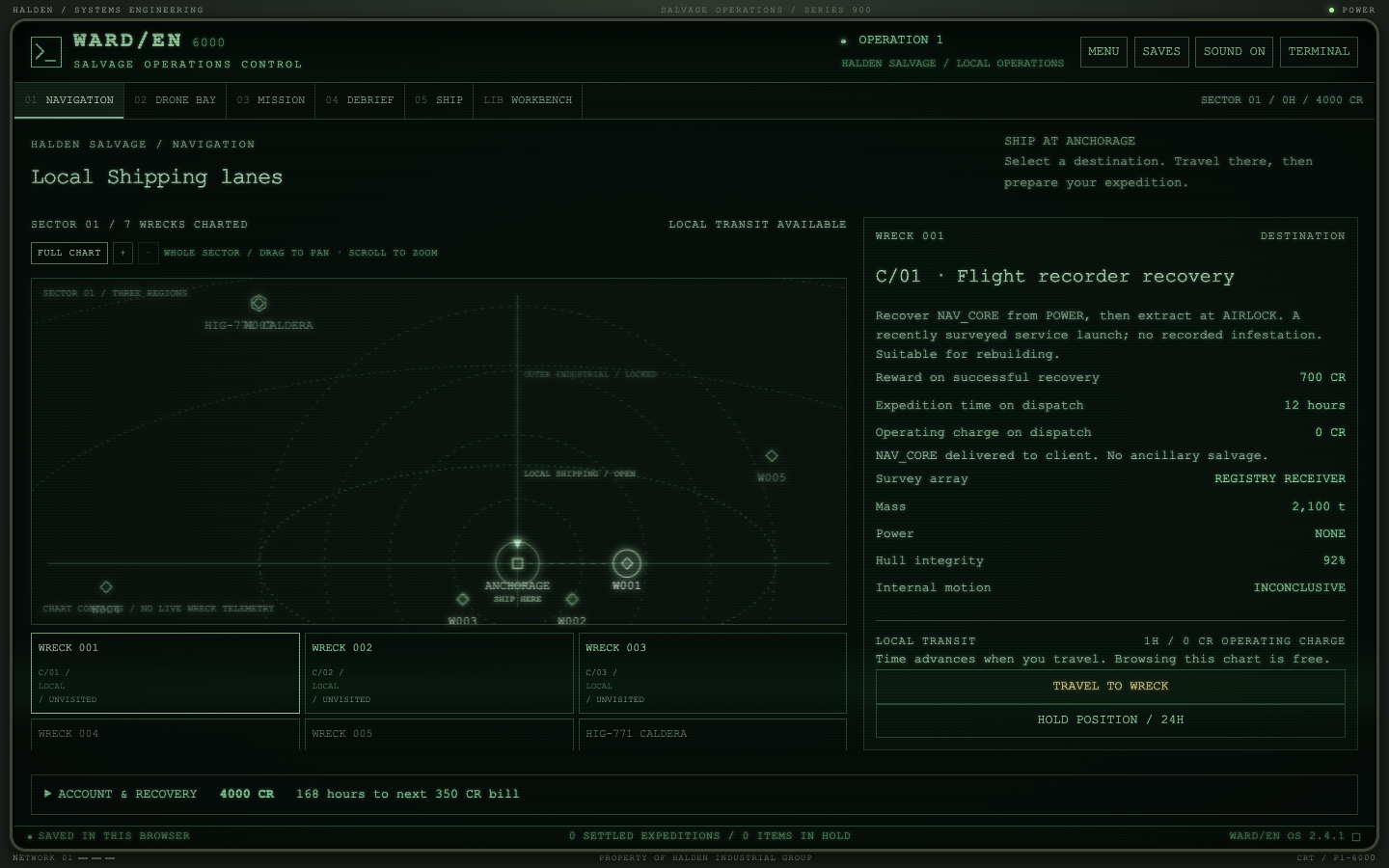
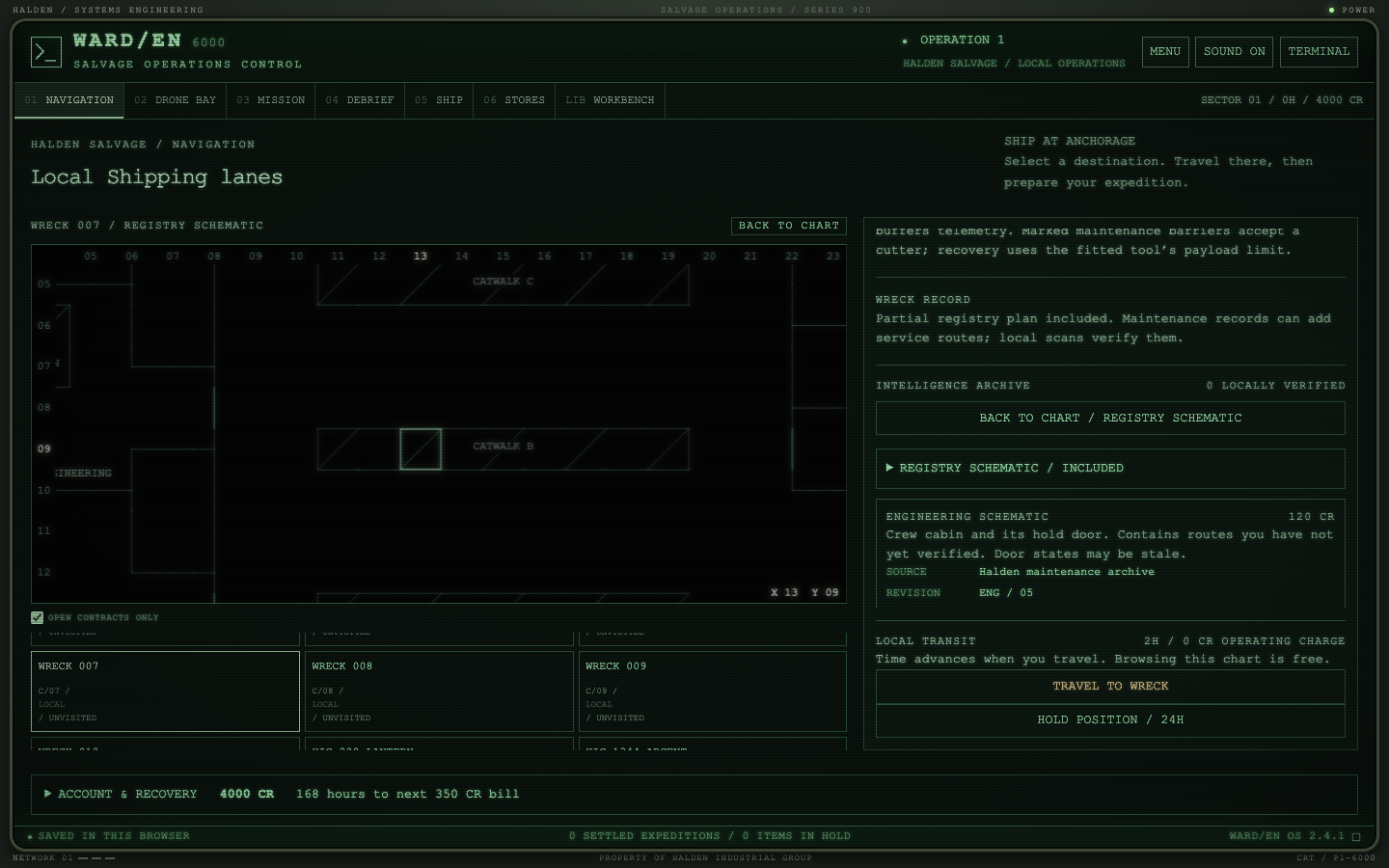
01Navigation
The sector chart: wrecks, contracts, regions and the intelligence
you have bought. Travel and dispatch commit strategic time;
reading the chart is free. The anchorage is where you trade, so
the way home is part of every plan.
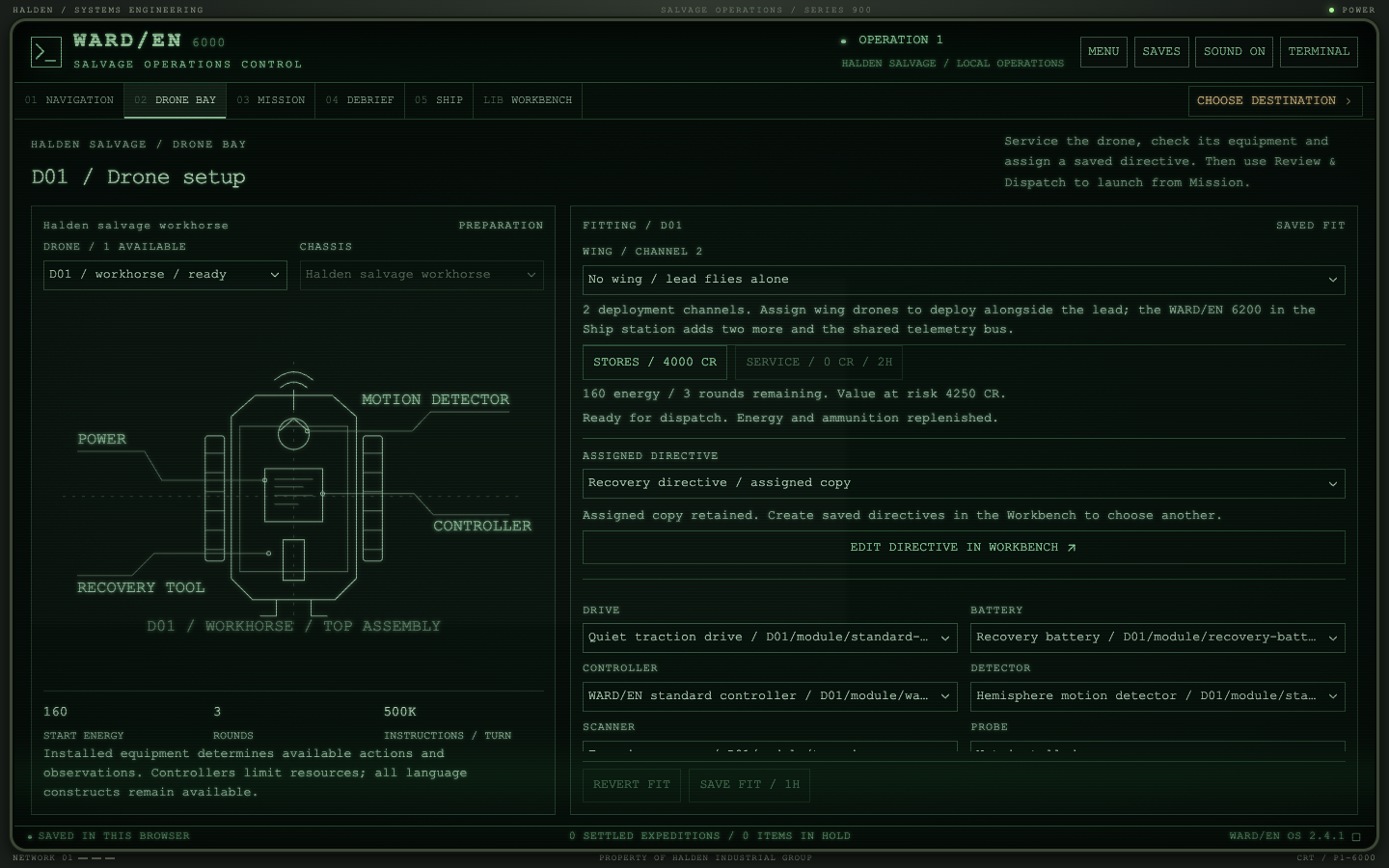
02Drone Bay
Fit and service what the operation owns, anywhere. What is
installed decides which calls a directive may make, how long a
step takes and how much energy a sweep draws.
LIBWorkbench
The editor, the operation's shared library, the test bench and
the mission panel. Copy a directive to try a variation. Save one,
assign it to a drone in the bay, and it is the
exact program that flies; dispatch keeps its own frozen copy,
whatever you change afterwards.
04Debrief
Settlements, cargo, reports and the wreck record you carry
forward. Return to a wreck and the drone starts from what the last
one learned.
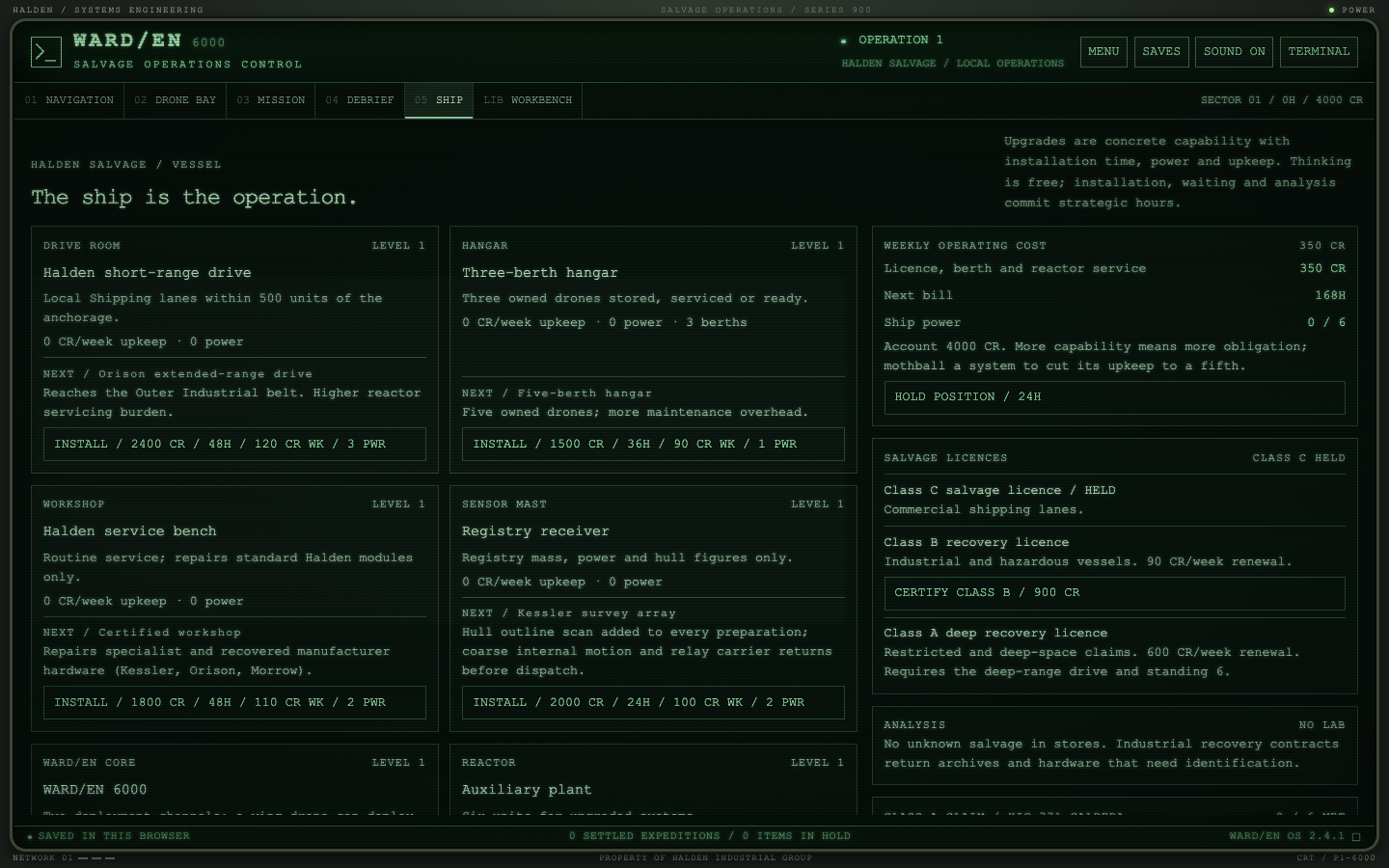
05Ship
Systems, licences, analysis and upkeep. Industrial regions need
the extended drive and a licence; the deep recovery contract needs
everything.
06Stores
The catalogue by kind of module, each with its real figures beside
what your drone carries, whether it fits, and what it is for.
Buying and selling happen at the anchorage; anywhere else it is
the same catalogue, read only, so you plan the fit at the wreck
and buy it on the way home.
PLANSchematics
Every plan the ship holds zooms and pans, with grid references
pinned to the top and left edges. Point at a cell and it reads its
coordinates, the same x and y a
directive uses.
02Training berth
A tutorial that flies the loop with a guide, a seventeen-lesson
language course and a five-lesson Fast Track, each lesson a real
expedition on the training wreck, with every run fast-forwardable
to eight times speed. Nothing there is saved but your progress.
Write it where you like
03b / External editing
In the game
The Workbench
A full source editor under the CRT glass, or in high-contrast
clear coding: file switcher, completion, hover, go-to-definition,
references, rename and diagnostics against the fitted drone.
In VS Code
The WARD/EN extension
Export a directive and it unpacks into a folder of
.warden files plus a warden.json that
carries the fit and the wreck's site names. The extension gives
you the same completion, navigation, rename and semantic
highlighting in your own editor; pack it and import it back.
A dependency-free language server speaks LSP over stdio and is the
game's own language service, so diagnostics never disagree with
the Workbench. Neovim, Zed, Helix: point them at the command and
edit.
The ship sees only what the uplink carries
04 / Telemetry
The simulation keeps its own truth: creatures, hidden geometry and
intent are private. The Mission station shows the received packet,
and so does your directive. A detector sweep pings a body where it
was when the sweep crossed it; a scan confirms what the schematic
only claimed; a corridor behind machinery thins the signal until
the feed drops.
When a carrier drops inside coverage you get a terminal burst and
a last position. Outside it you get nothing, and the debrief says
so. Recovered drones bring back their hardware, never their
onboard buffer.
T0040D01DOOR OPENED / 13, 5 / LOCAL SCAN UPDATED
T0058D01POWER / HOUSING EMPTY / LOCALLY OBSERVED
T0058D01LOG / POWER is empty, trying COMMS
T0066D01COMMS / RECORD / VOYAGE_RECORDER HELD AT GALLEY
T0079D01GALLEY / VOYAGE_RECORDER / MARKING VR-101
T0091D01MOTION ACQUIRED / R 4.2 / 274°T0094D01Defence discharge / range 2.8 / bearing 271° / ammo 2.
T0096D01REPLANNING / ROUTE UPDATED
T0141D01OBJECTIVE ACQUIRED / NAV_CORE
T0203LINKUPLINK INTERRUPTED / MACHINERY SHIELDINGT0231D01EXTRACT / OK / ENERGY 21.06
T0231D01NAV CORE recovered. Drone extracted.
From one line to a recovery policy
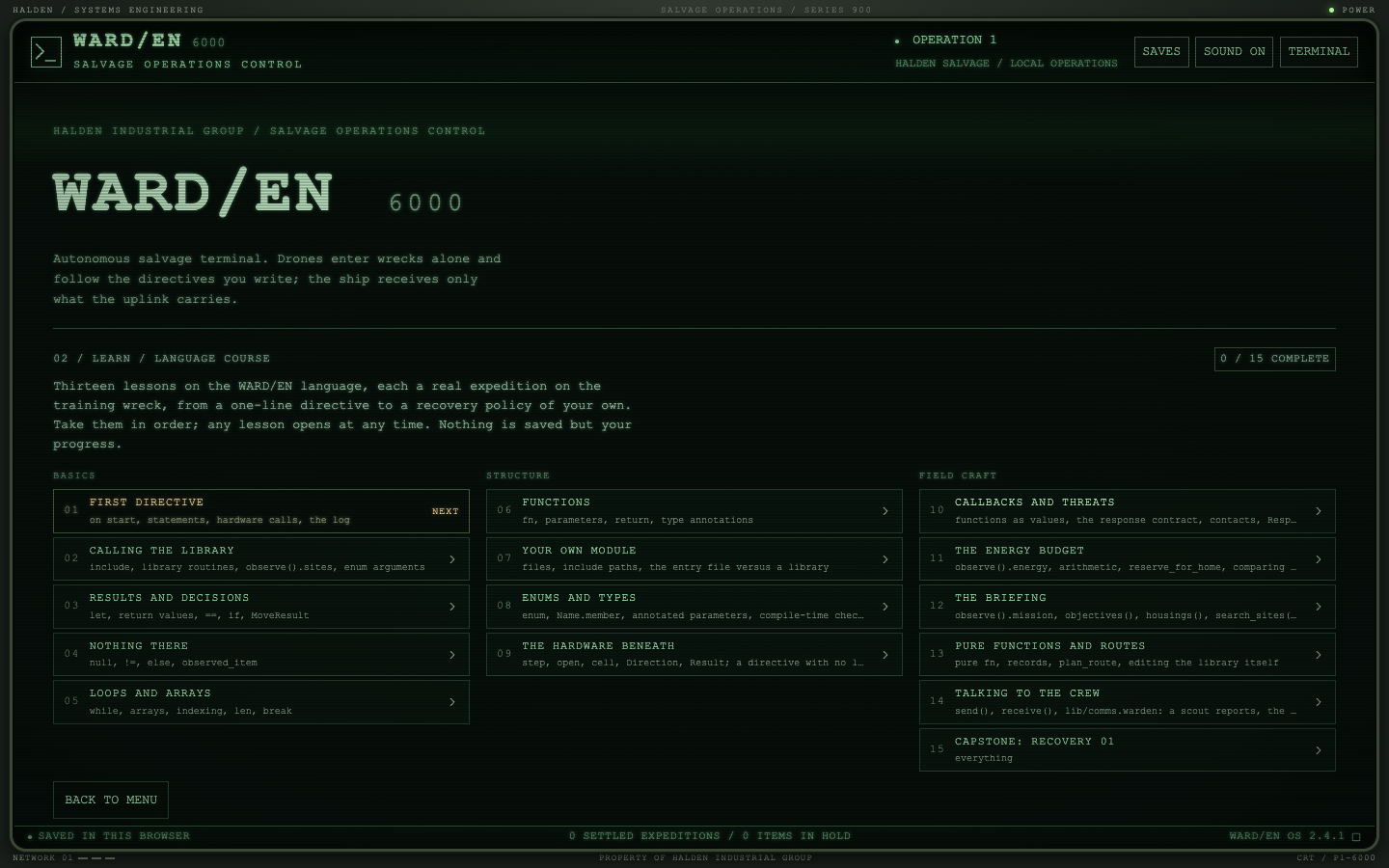
05 / Training
The language course is seventeen lessons, each a pinned expedition
on the training wreck. The starter always flies and always misses the
goal; the verdict comes from what actually came back, and a hint or
the reference solution is one press away. Take them in order, or open
any lesson you like.
Already a programmer? The Fast Track is five lessons that say each
idea once: directives and decisions, searching, modules and enums,
callbacks and the briefing, and a capstone that writes the recovery
policy from nothing. Every training run, tutorial included, plays at
up to eight times speed.
Basics
01
First directiveon start, statements, hardware calls, the log
02
Calling the libraryinclude, library routines, enum arguments
03
Results and decisionslet, return values, if, MoveResult
04
Nothing therenull, else, coping with being wrong
05
Loops and arraysfor, arrays, len, break
Structure
06
Functionsfn, parameters, return, annotations
07
Your own modulefiles and include paths
08
Enums and typesdeclared values, compile-time checks
09
The hardware beneathstep, open, cell; no library at all
Field craft
10
Callbacks and threatsfunctions as values, the response contract
11
The energy budgetobserve().energy, reserve_for_home
12
The briefingobserve().mission, plans that read the contract
13
Pure functions and routesplan_route, editing the library itself
14
The controller's turninstructions, wait_tick, the cost of thinking
15
Talking to the crewsend, receive, a scout that reports
16
Capstone: Recovery 01write recover yourself
17
The other operatorcontested claims, spending the time you have
Requirements
06 / Terminal
Steam, eventually
WARD/EN is a PC game and will ship on Steam. Until then the
early test build runs in a desktop browser window: it scales to
your screen and is not designed for phones.
WebGPU, ideally
The display is a real WebGPU compositor: phosphor persistence,
bloom, scanlines and grain in one pass. Current Chrome and Edge
have it on by default. Without it the terminal falls back to a
CSS display and plays exactly the same.
Nothing else
No account and no server. Operations are saved in your browser's
storage and export as JSON backups you can carry between
machines; keep one before a browser clean-up, since the test
build has no cloud.
Directives are plain text. Export one from the Workbench and it
carries the fit and the wreck's site names, so the
VS Code extension
and the language server see exactly what the game sees.
Edit in either place, test it on the bench; the dispatched copy is
always the one you saved.
Losses are real in an operation: a stranded drone and its modules
stay in the wreck until recovered. The training berth and the
Training Grounds cost nothing; the berth keeps only your course
progress, the Grounds your directives, fleet and bests.
Salvage Operations Control
Open the terminal.
The early test build is open now, in your browser. Start with the
tutorial or the Fast Track, write your first directive, then take a
challenge code into the Training Grounds. The Steam release
follows.